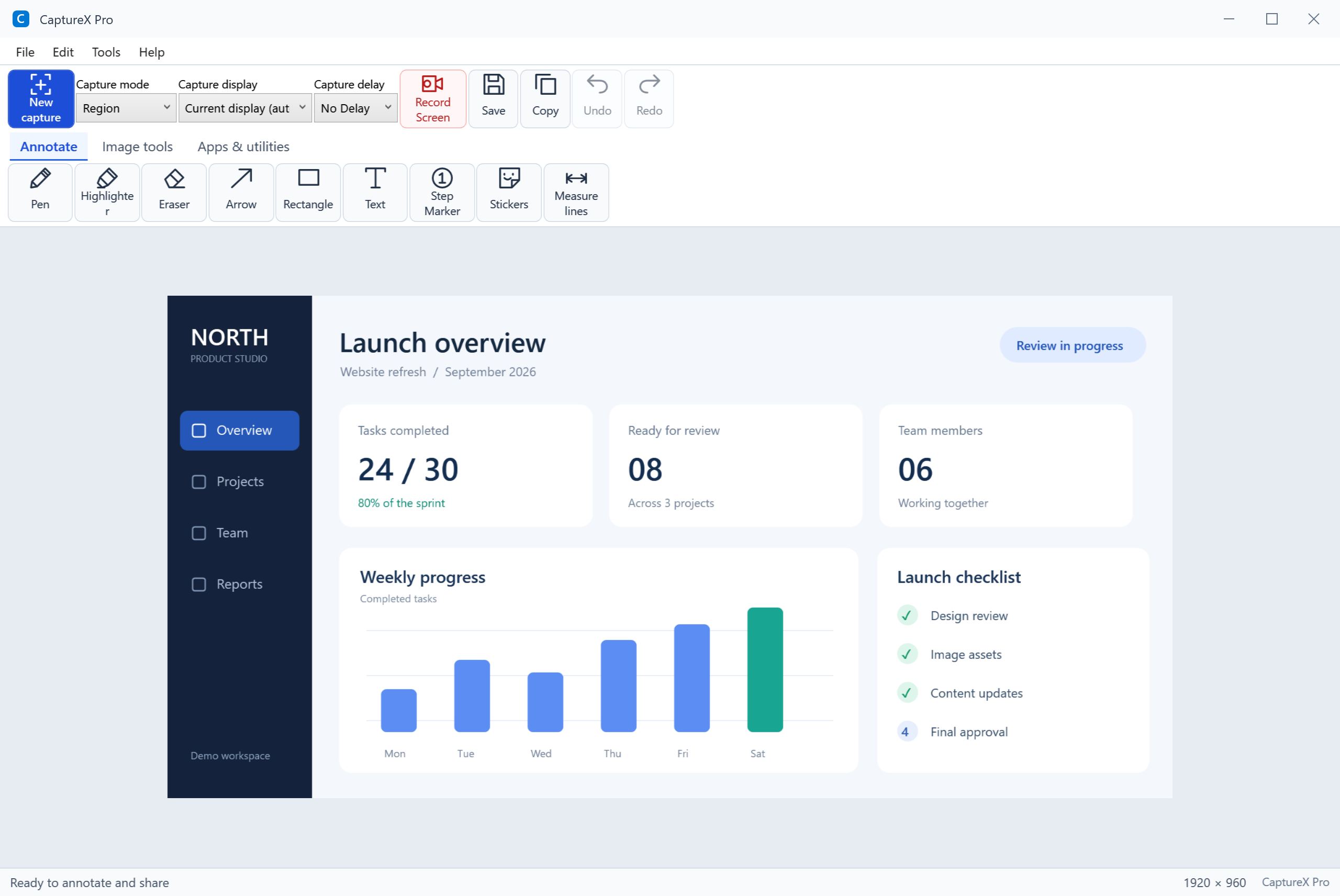
One workspace. Your tools, together.
Capture controls, labelled icons and everyday tools, brought together in the main workspace.
A closer look at CaptureX Pro
Explain an image, hide a detail, print a document or prepare a presentation. Explore the application through varied examples of everyday tasks.
Open any screenshot at full size to explore the interface and its details before you download.
Click to see the details
Capture controls, labelled icons and everyday tools, brought together in the main workspace.
Explore the details
Choose what you want to explore. Open a screenshot, move between images, or view the original PNG.
16 of 16 screenshots
Capture controls, labelled icons and everyday tools, brought together in the main workspace.
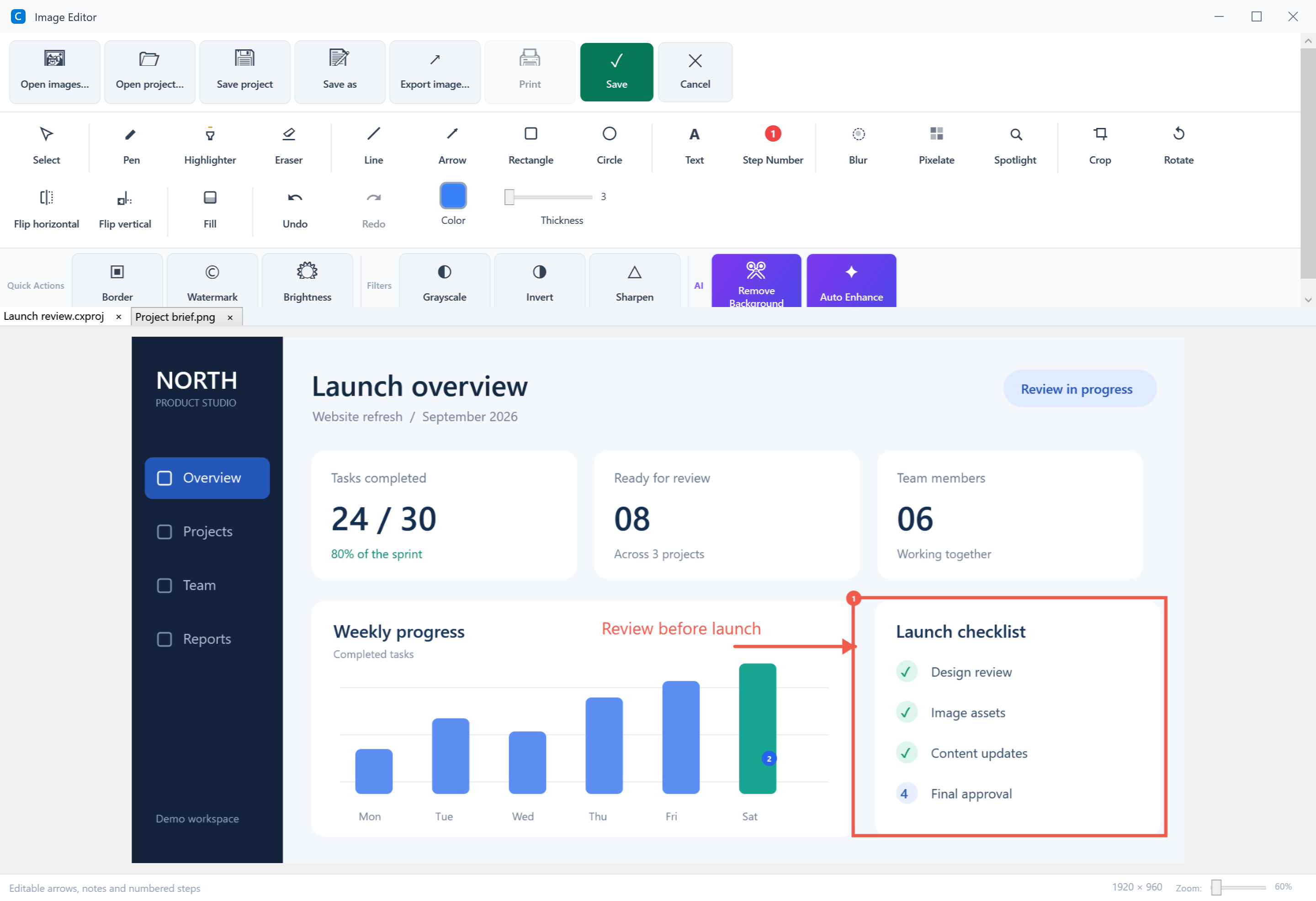
Add arrows, text and annotations to highlight the details. Save the image or keep an editable .cxproj project.
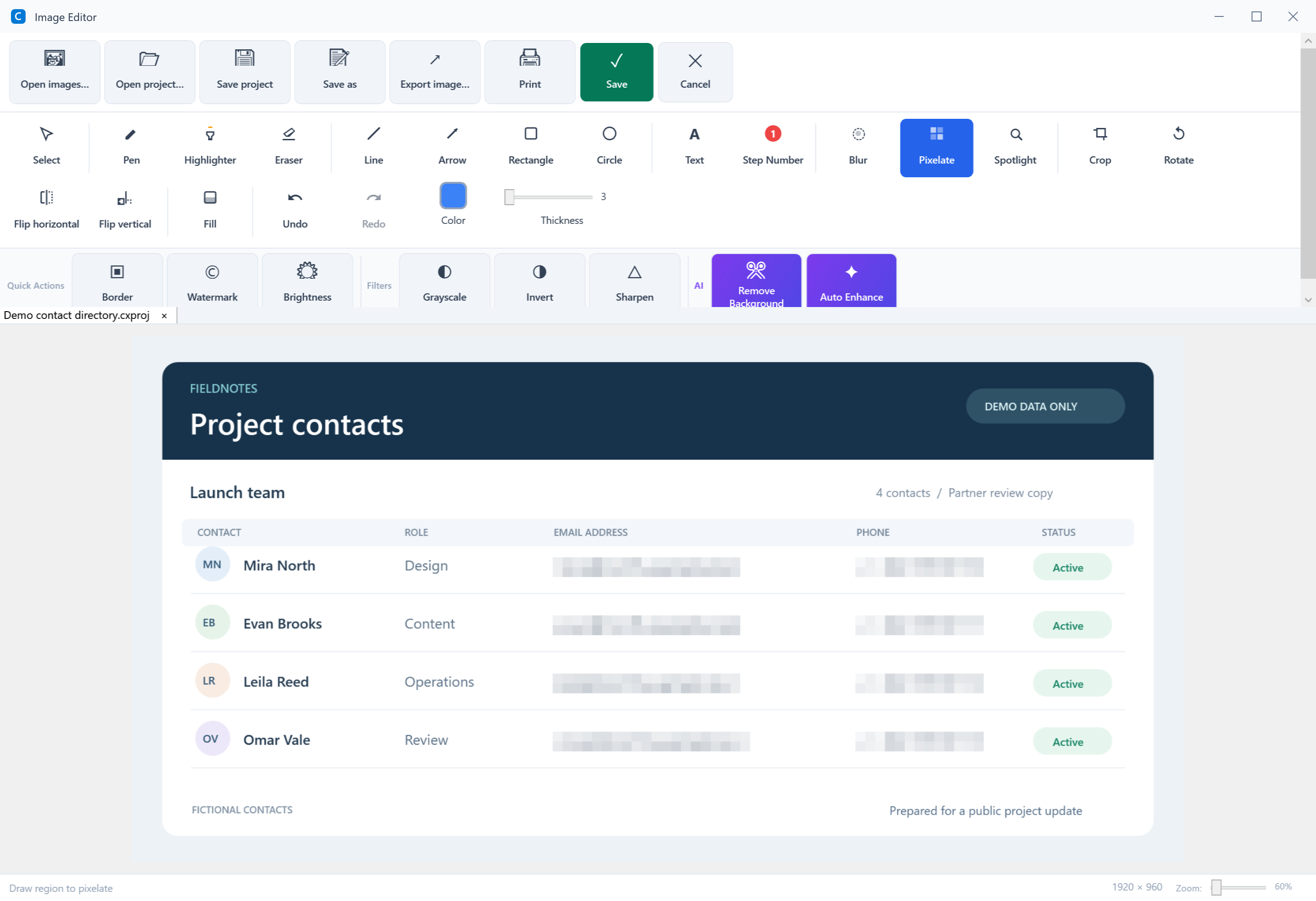
Apply pixelation to details you do not want to show, then review the exported image before sharing. Editable projects retain the original image.
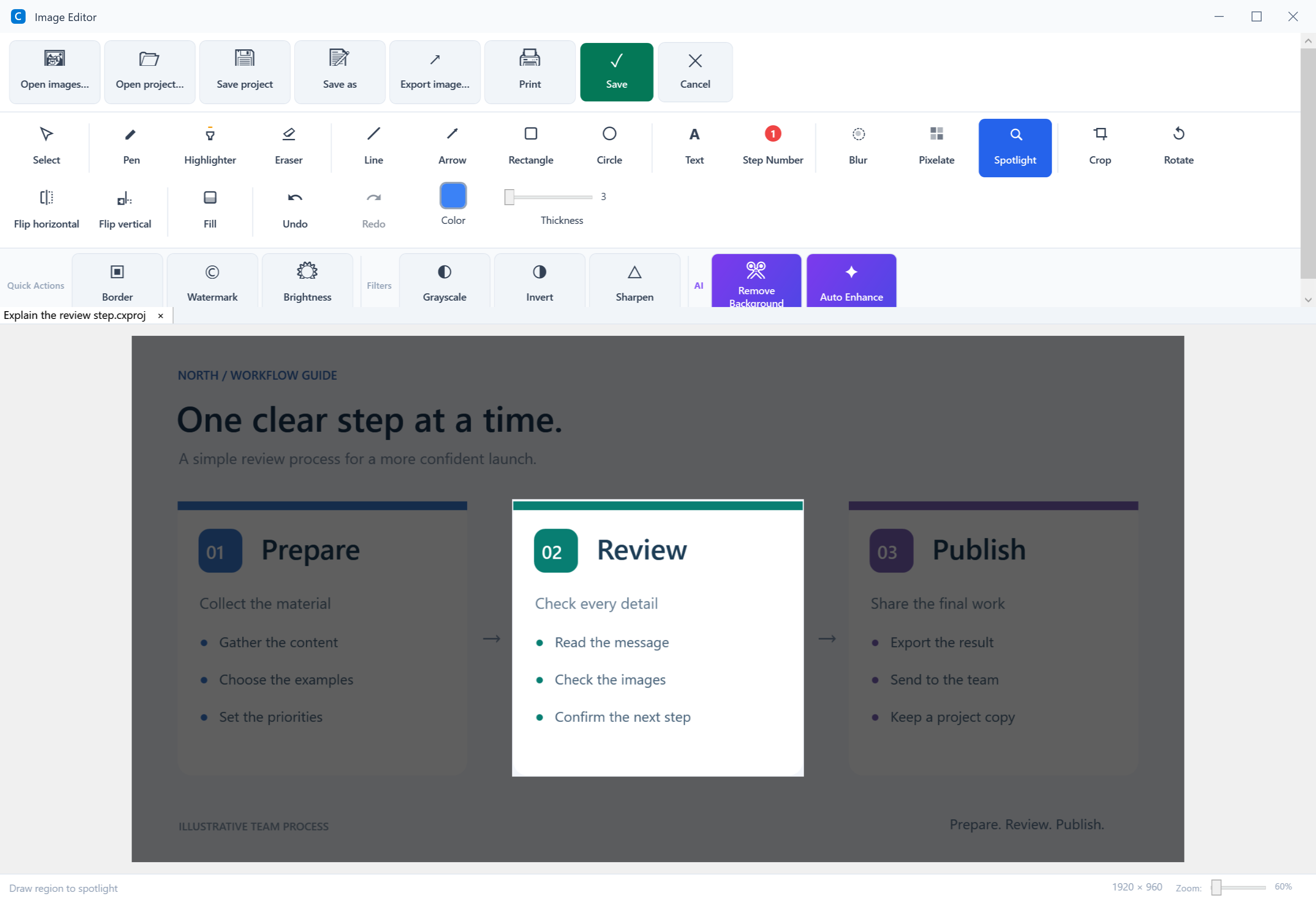
Use the spotlight tool to emphasize one part of a screenshot and help readers follow your explanation.
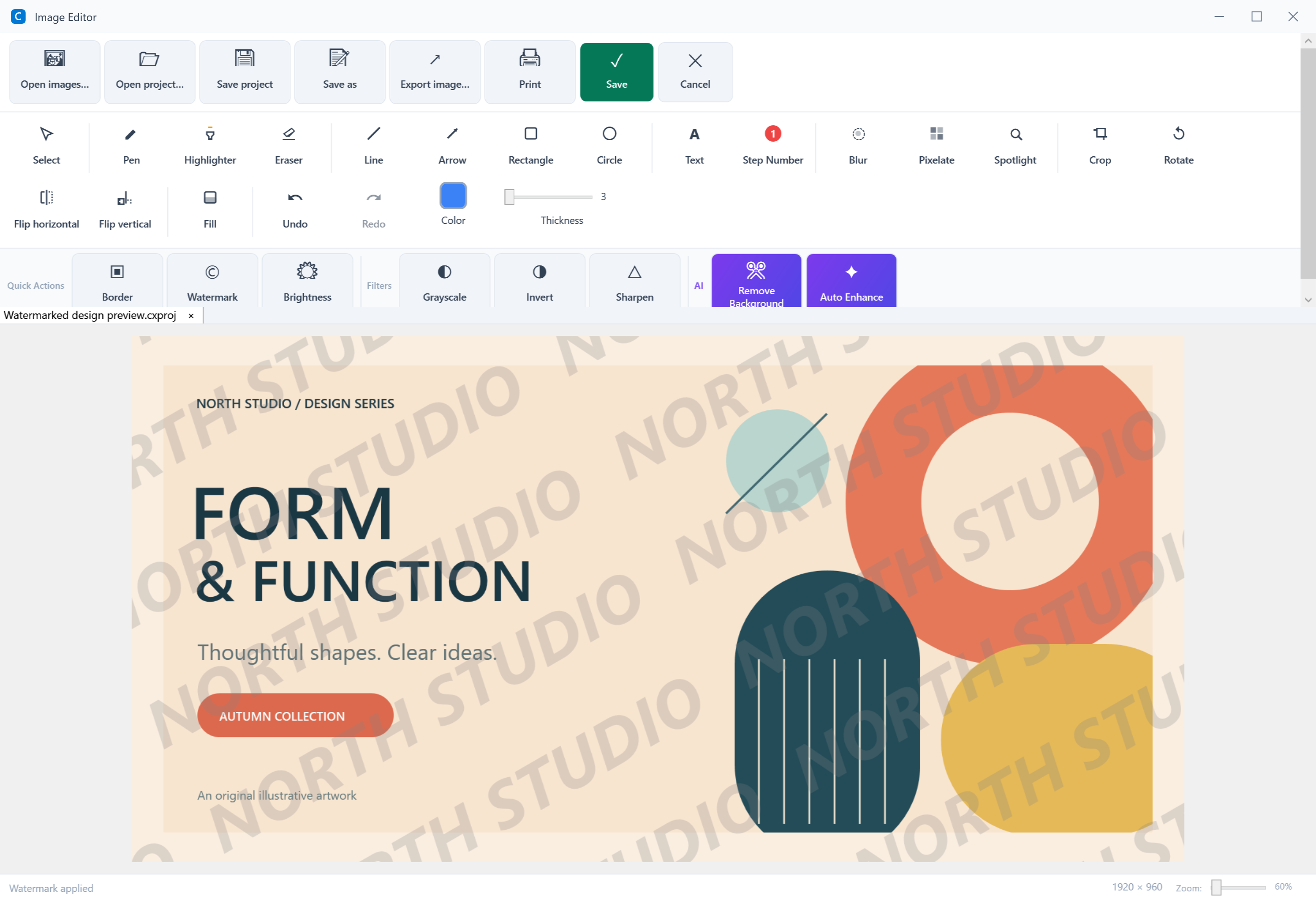
Add a text watermark to images prepared for sharing, such as your team name or project title.
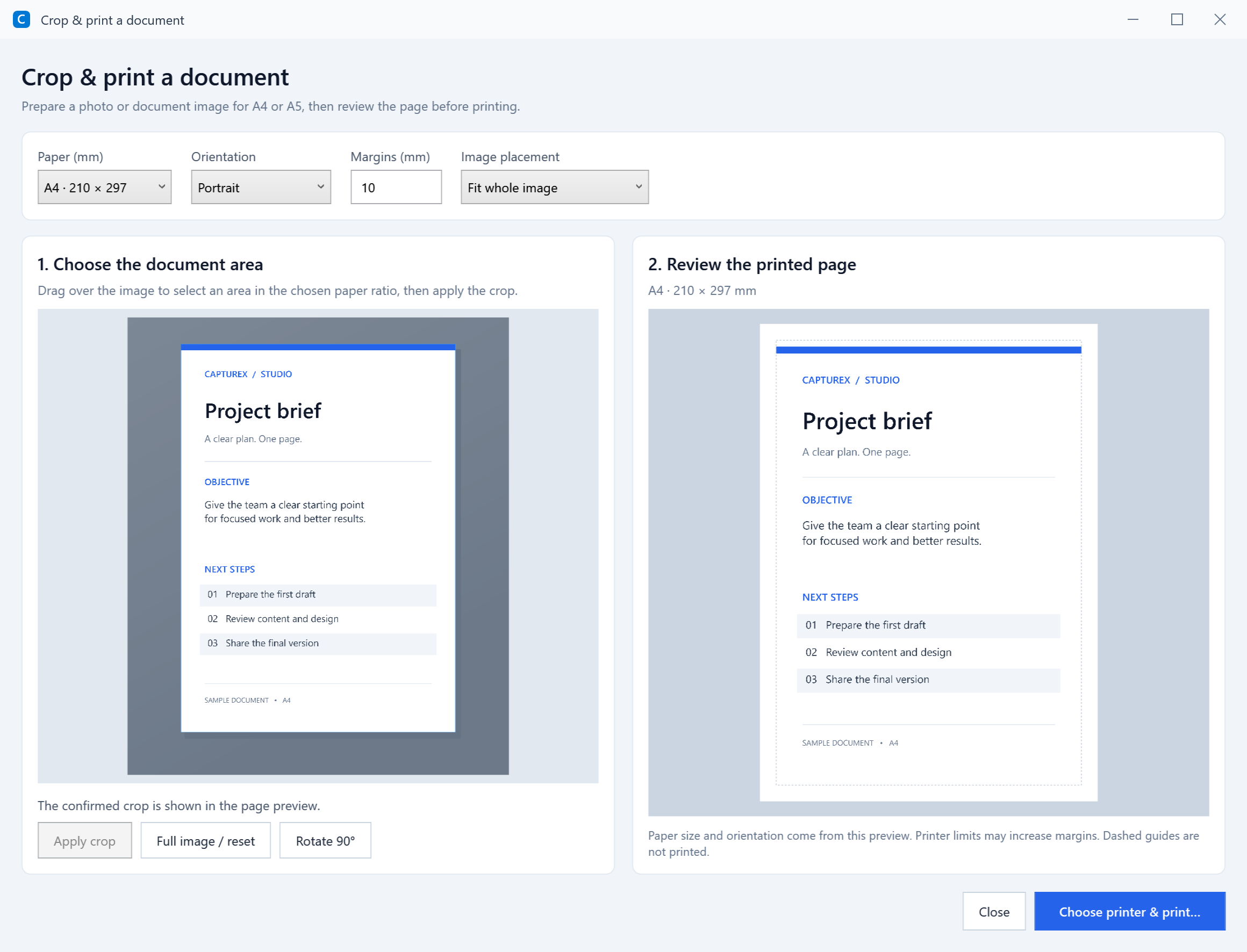
Received a document photo? Select the page inside the image and review the A4 preview and margins before printing.
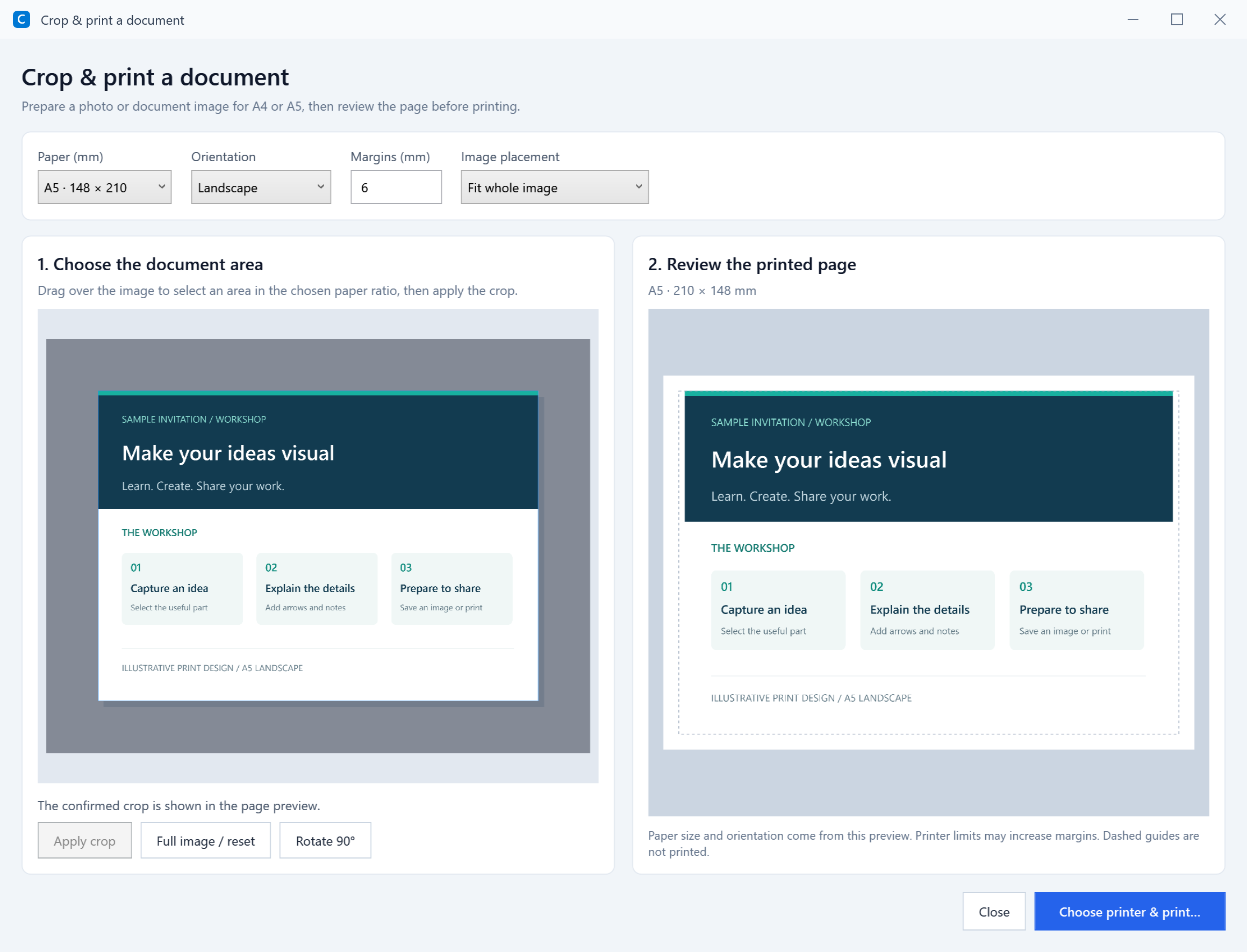
Choose A5 for notes and smaller documents, then review page orientation and image fit in the print preview.
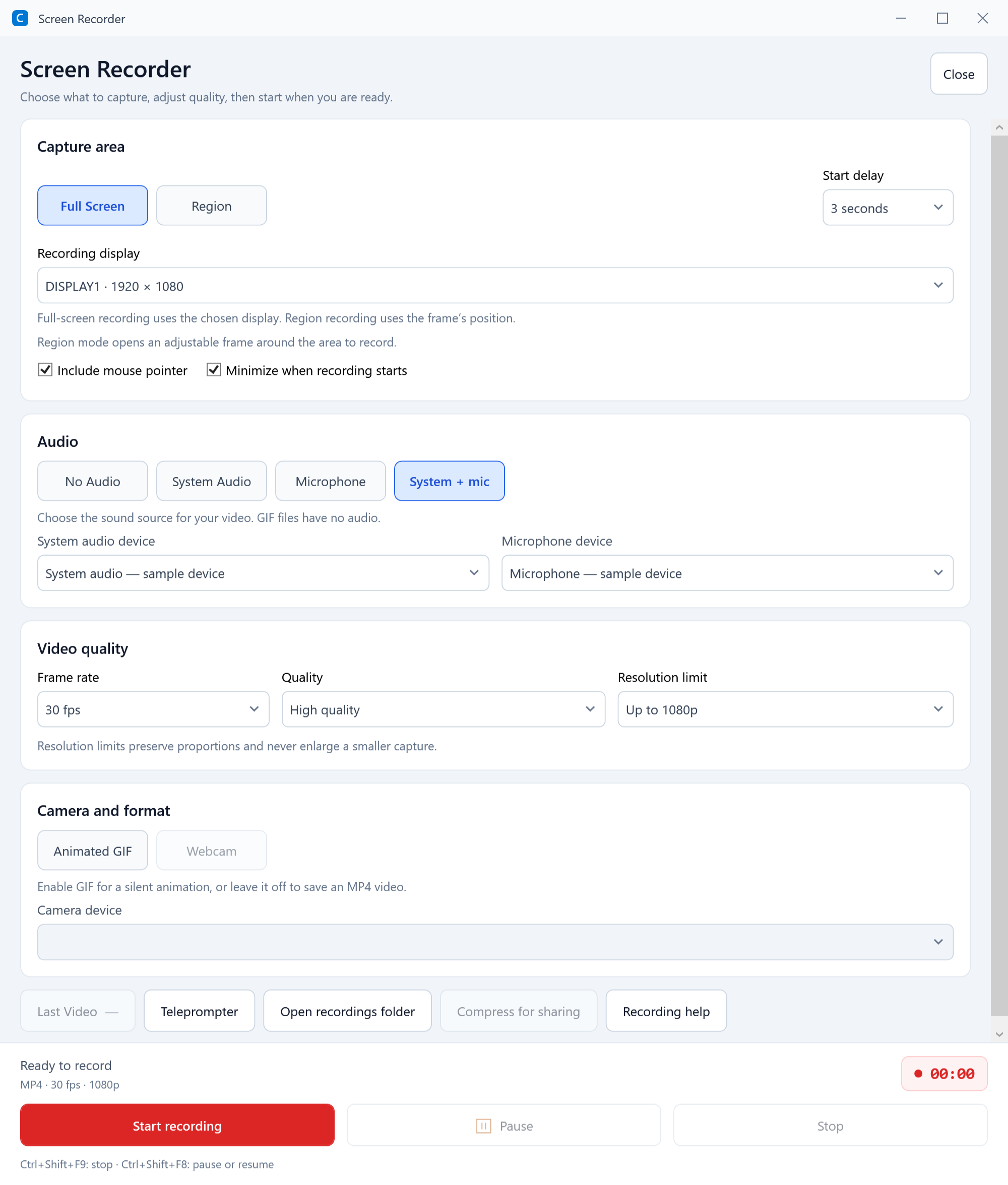
Review the capture area, MP4 quality, frame rate, system audio and microphone options before starting your explanation.
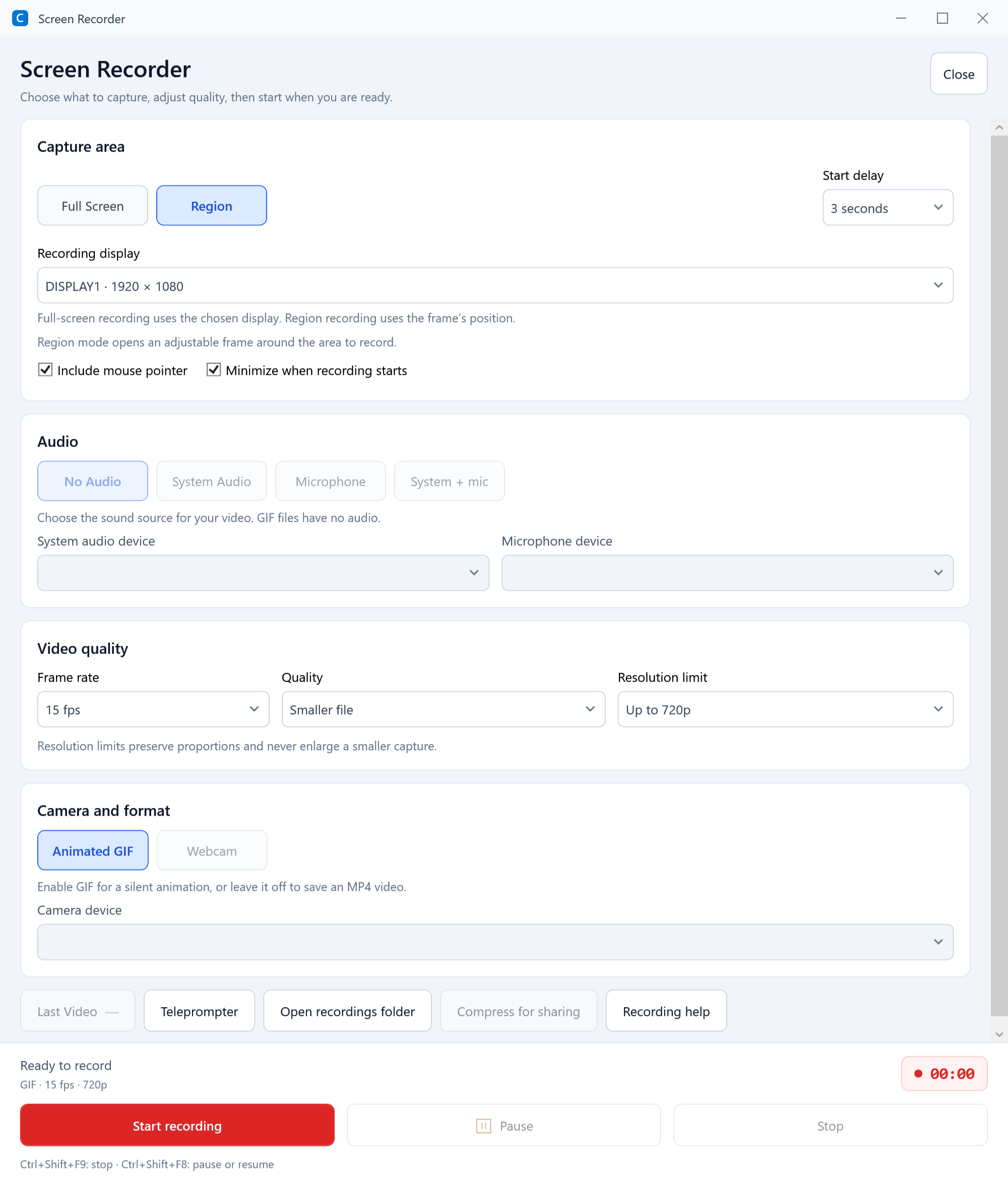
Choose GIF for a short silent demonstration, with resolution and frame-rate settings suited to sharing.
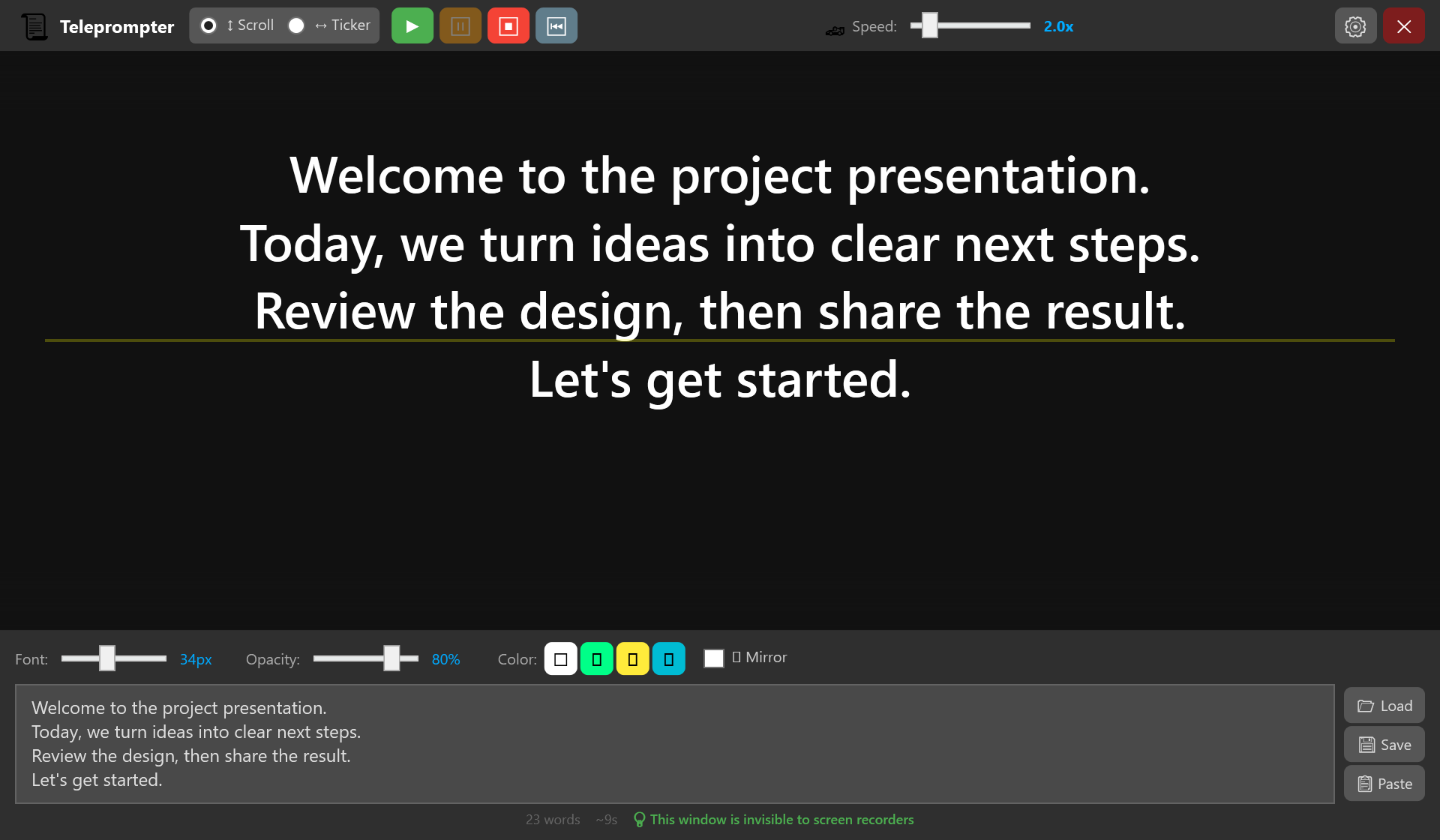
Prepare your script in the teleprompter and adjust scrolling speed and font size to follow your ideas while presenting.
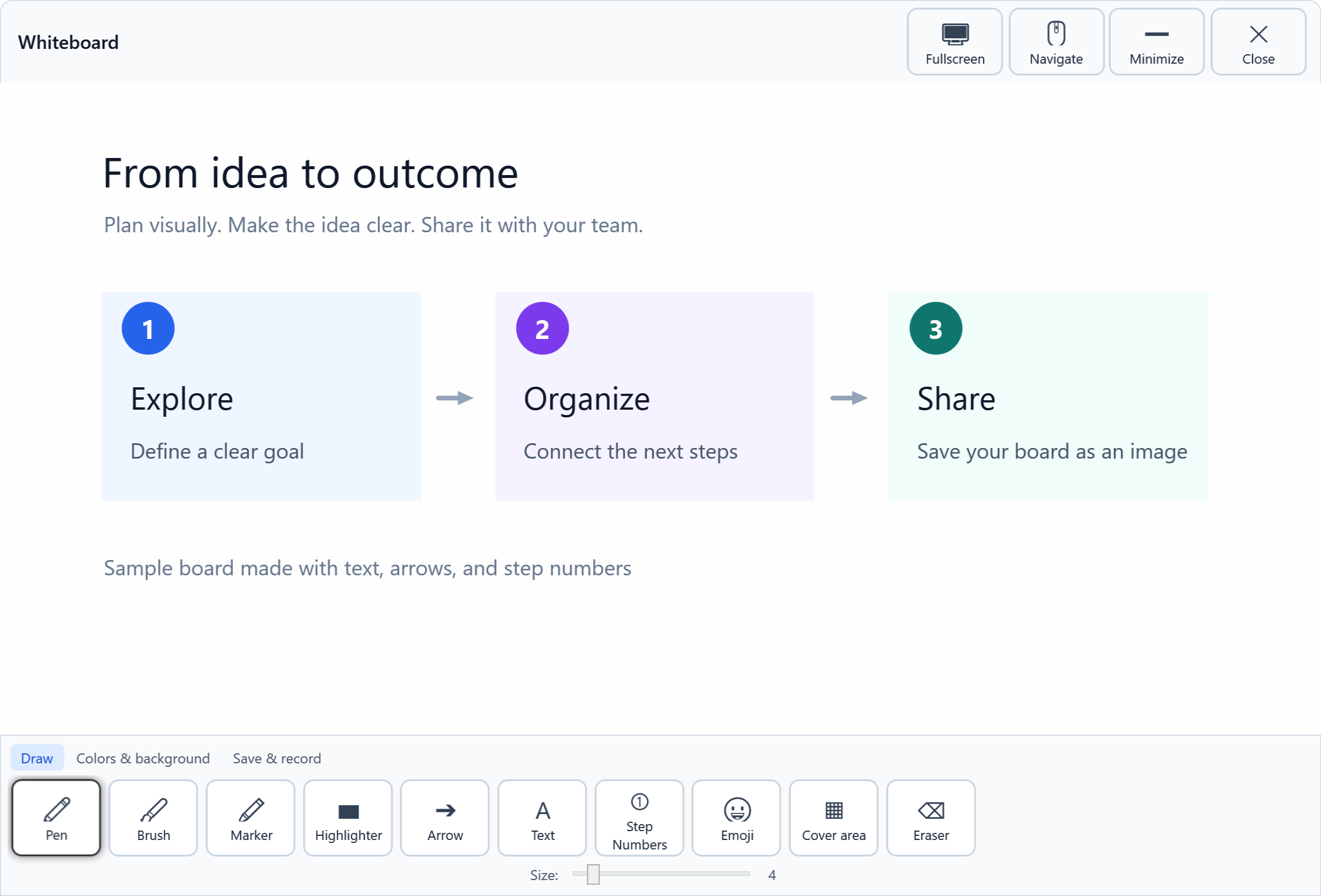
Sketch, connect ideas and add text on the whiteboard, with drawing tools close at hand.
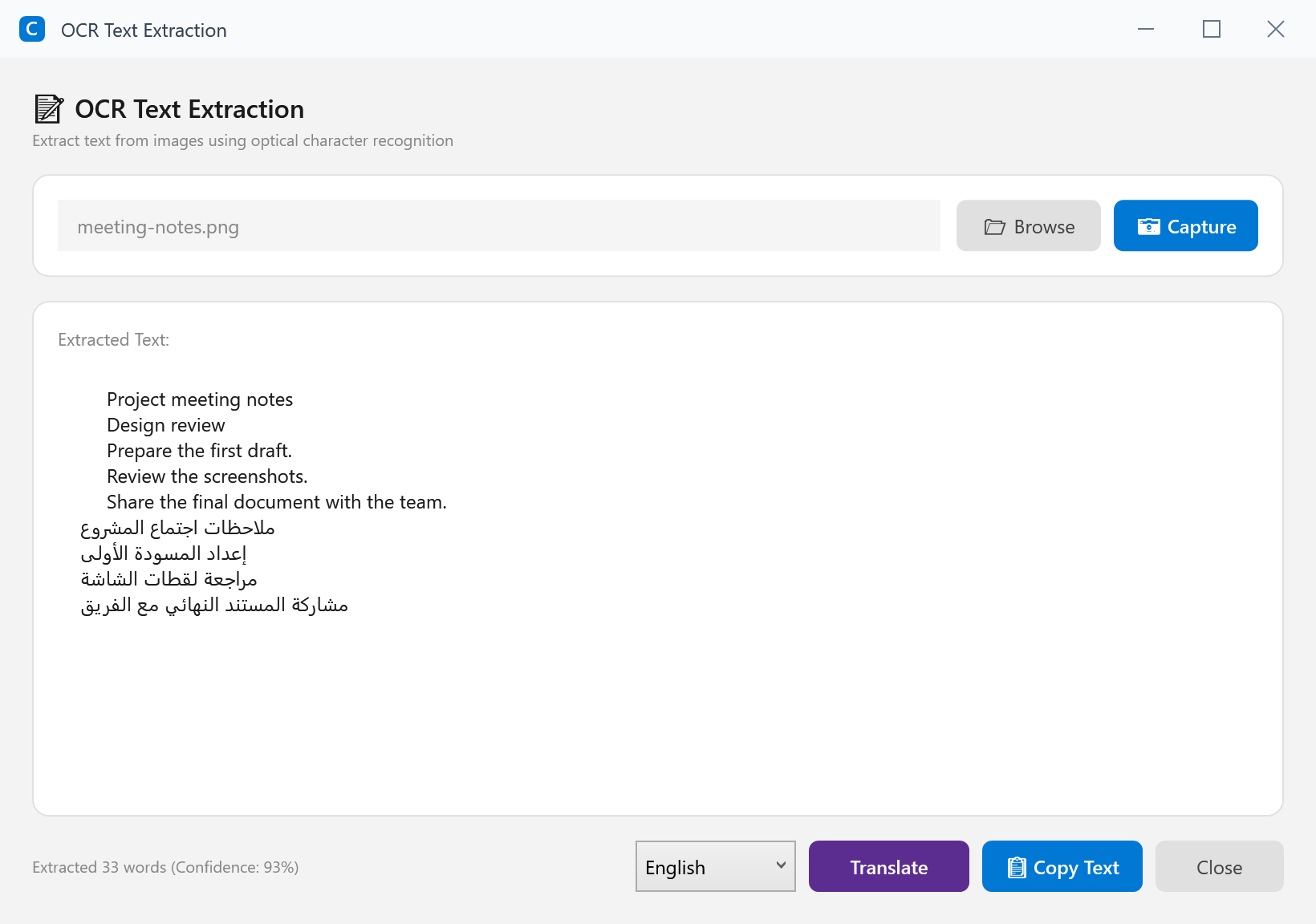
Extract Arabic and English text locally with OCR. Recognition accuracy depends on image clarity and text size.
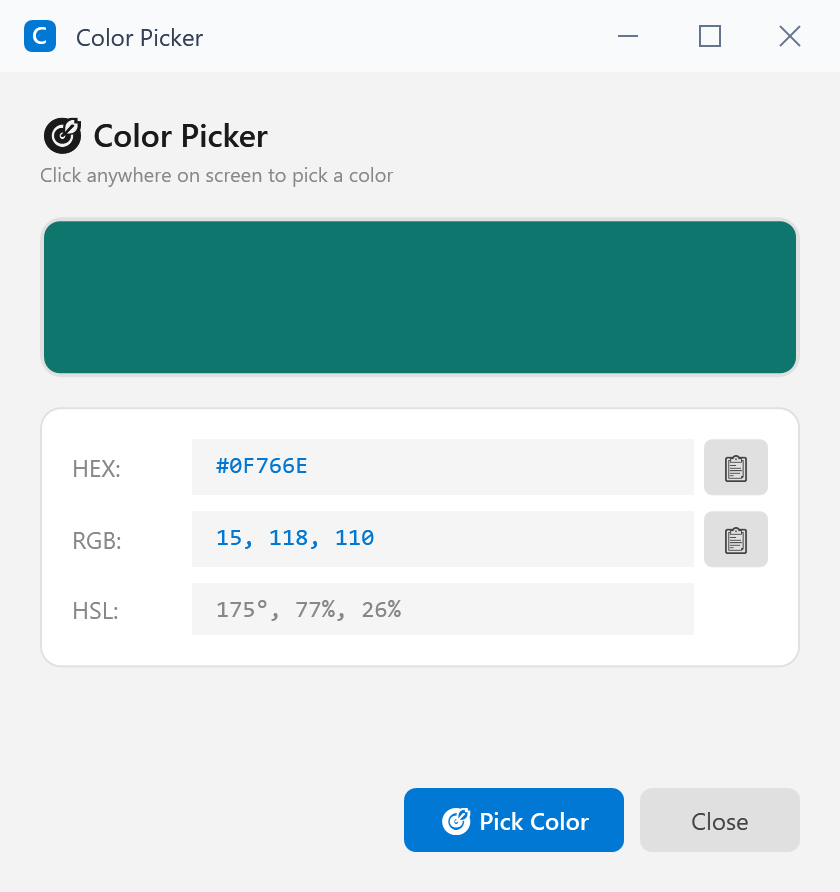
Inspect a color and its HEX and RGB values, then copy the format you need for a design or explanation.
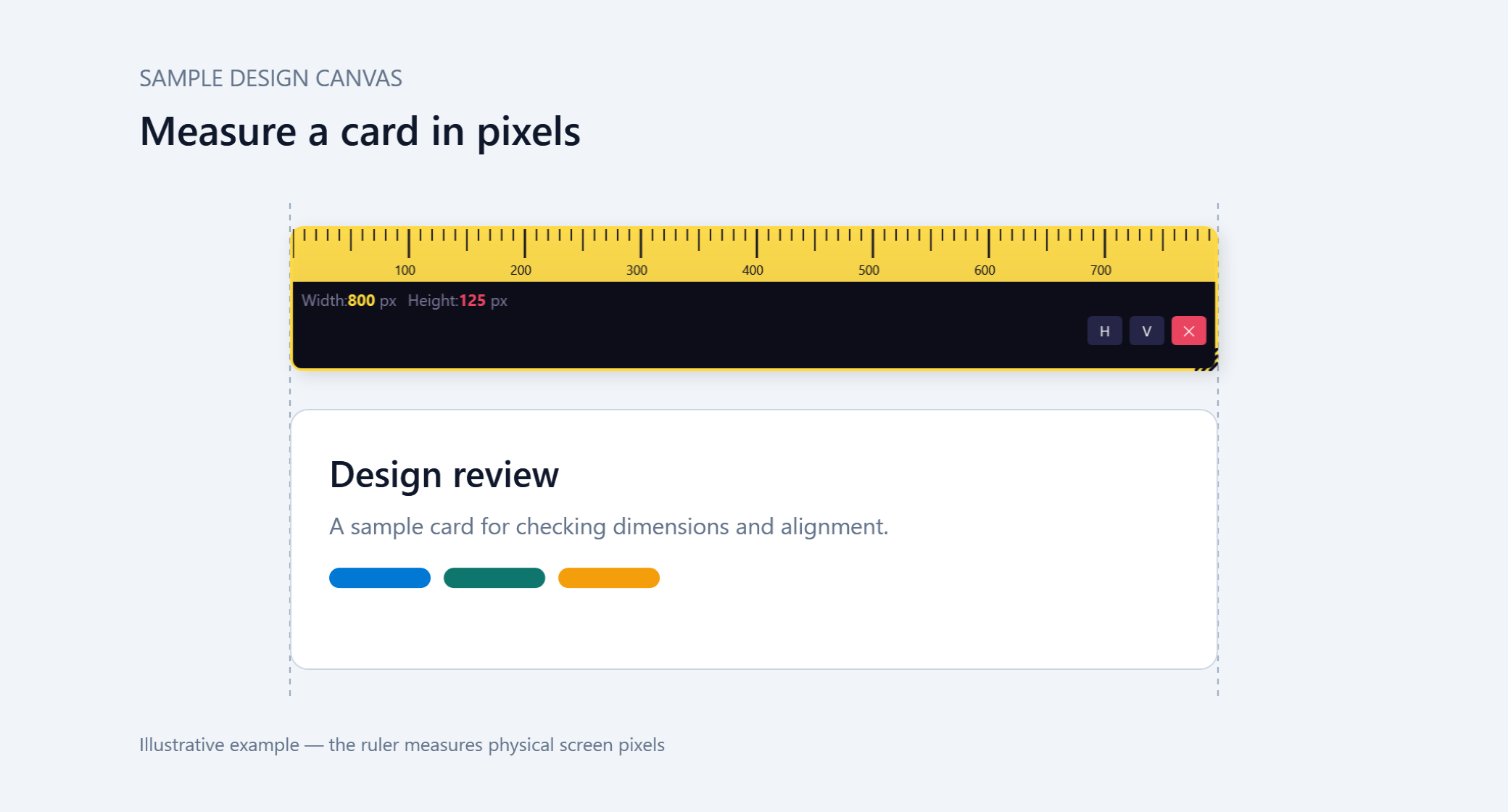
Use the screen ruler to inspect pixel dimensions and spacing while arranging an interface or comparing design elements.
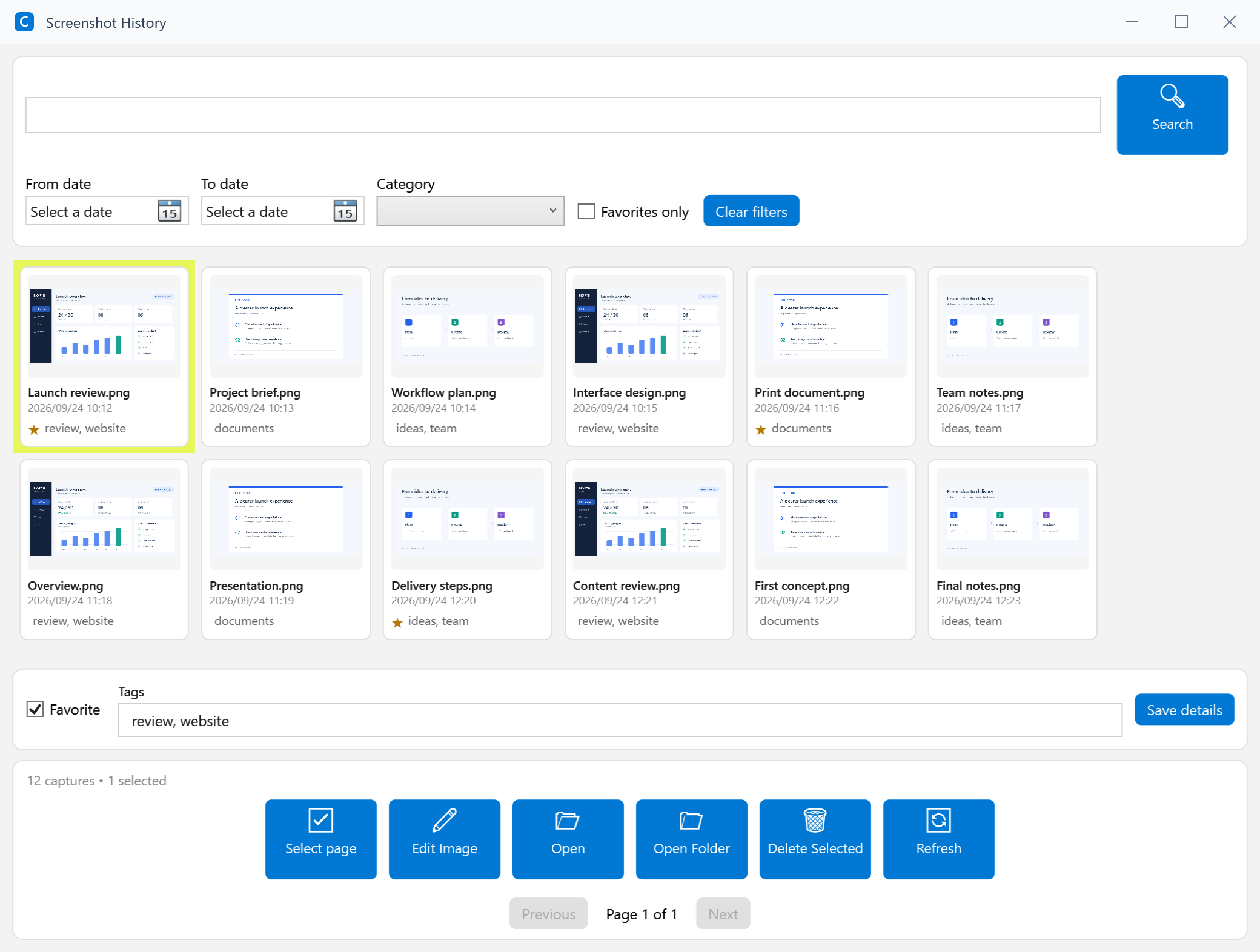
Browse capture thumbnails and find the image you need to continue your work.
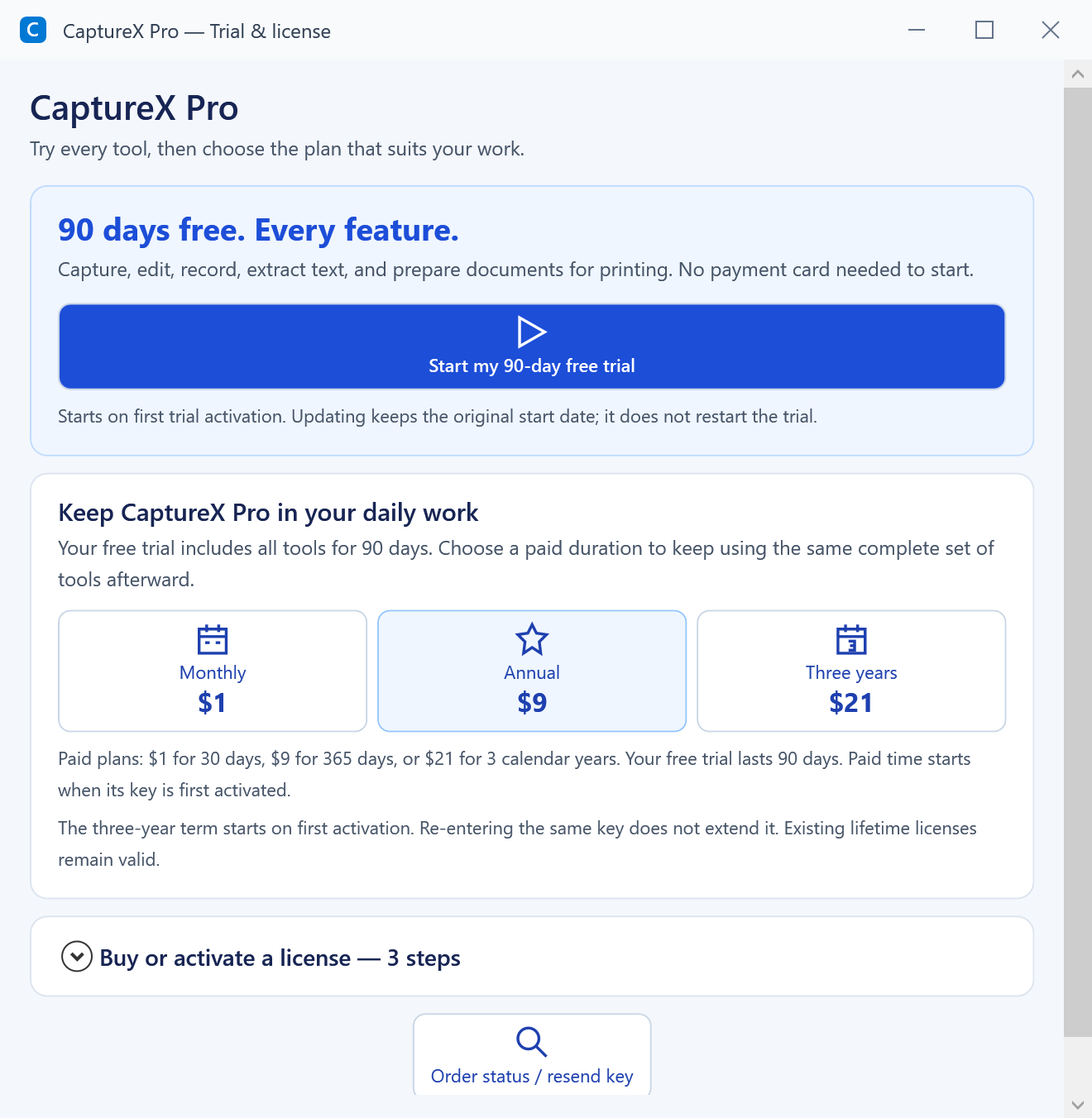
See activation status, time remaining and license options. Start with a 90-day free trial, or choose a three-year plan.
Application interfaces shown with sample content prepared for this gallery. Tool size and layout may vary with your window size and display settings.
Start a 90-day free trial and explore the CaptureX Pro tools on your own computer.
Three-year plan: $21, one payment · The term starts at first activation.