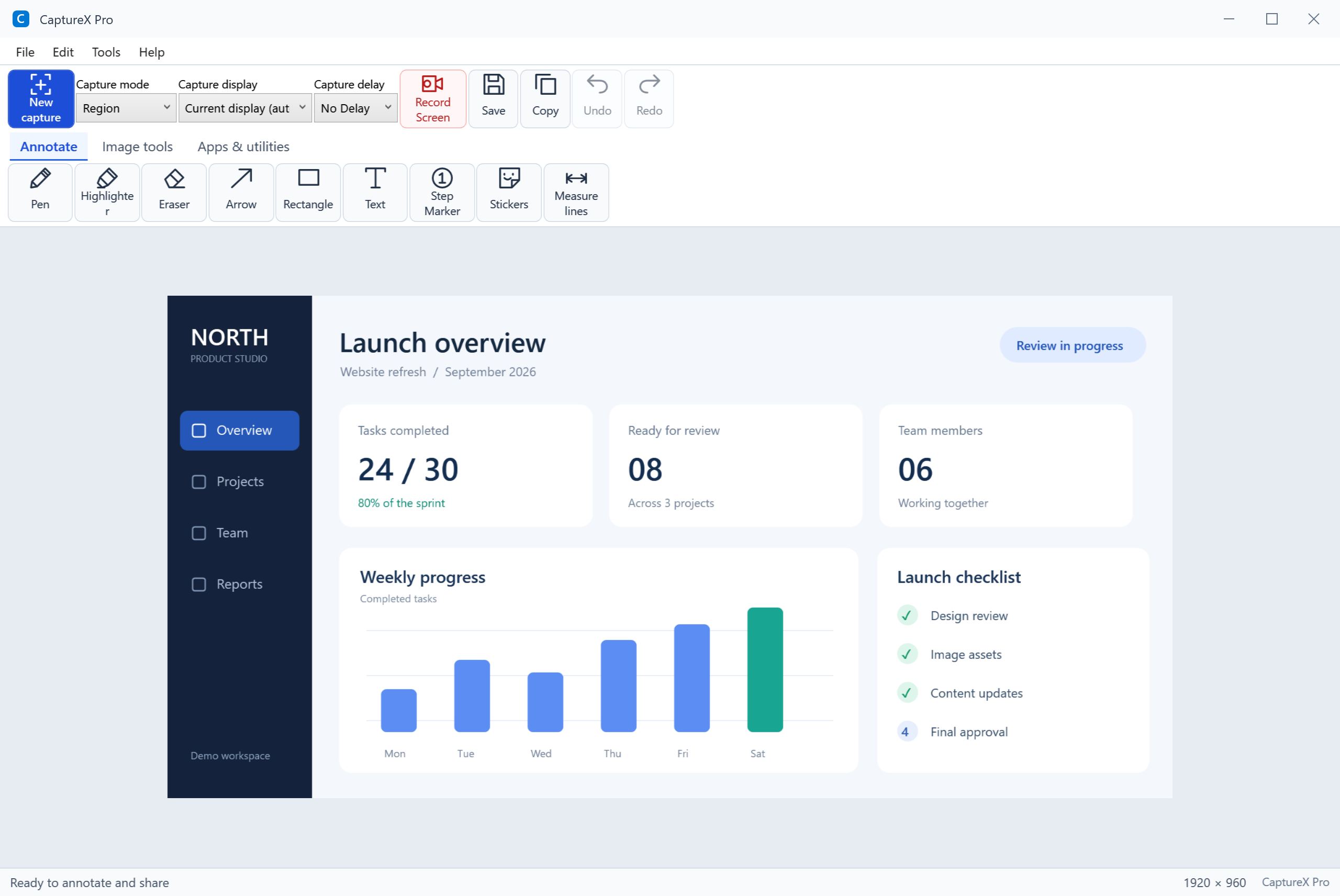
A clear result for every check
Manual checks distinguish an available update from a successful check confirming the current version. A failed check is reported separately.
Explain a screenshot, record a walkthrough, copy Arabic or English text from an image, or crop a document for A4/A5 printing. Bring your everyday tasks into one Windows app.
All features • No credit card • Windows 10/11 (64-bit)
Get the full Windows EXE from the official download page.
Run the installer, complete setup, and launch CaptureX Pro.
Choose Start Trial in the app, then take your first screenshot.
Update to 3.6.8: your trial totals 90 days from its original activation. For example, 40 days elapsed means 50 remain. Updating keeps the original trial start date.
A failed manual update check no longer tells you that the app is current. See whether a newer version is available, your version is current, or the check could not finish, with an option to open the official download page.
Manual checks distinguish an available update from a successful check confirming the current version. A failed check is reported separately.
Timeouts, connection failures, and invalid server responses show localized guidance instead of a misleading “latest version” message. Internet access is still required.
If a manual check fails, you can open the official download page and install the current full package. Opening the page does not install an update automatically.
Use Help > Check for Updates to check manually. If the check fails, retry when the connection is available or use the official download page.
From editable image projects to screen recording with webcam — every tool a professional needs in one place.
Region, window, full-screen, and freeform capture. Add a delay for menus and tooltips.
Move and restyle annotations, edit text, and erase individual objects. Undo and redo as you work.
Apply automatic background removal, inspect the result, and export the image when it is ready.
Apply automatic image adjustments, then refine brightness, contrast, and sharpness as needed.
Choose 15, 30, or 60 FPS, three quality presets, and original size or a 1080p/720p limit. Record MP4 or silent GIF with optional webcam and compatible audio devices.
Extract Arabic and English text locally. Use online translation when you need another language.
Save editable .cxproj projects, work with image tabs, recover sessions, and crop documents for A4 or A5 printing.
Start on a white board, choose a dark background or desktop overlay, and export your drawing as PNG.
Pick any pixel color from screen. Get HEX, RGB, HSL values with magnifier preview.
Pixelate sensitive areas or highlight important content with the spotlight tool for focused presentations.
Share screenshots instantly via the native Windows Share dialog — Teams, Email, OneNote, and more.
English, Arabic (RTL), German, French, Spanish, Portuguese, Turkish, Japanese, Korean, Chinese.
Every tool is designed for speed, precision, and professional output.
Build clear explanations with editable annotations, image adjustments, and project files you can reopen.
Record your screen and your face at the same time. Perfect for tutorials, courses, presentations, and video feedback.
Webcam overlay with circle shape
Four capture modes to grab exactly what you need, with optional delay for menus and tooltips.
15+ professional annotation tools to create clear, communication-ready screenshots.
Go beyond screenshots — record, extract, measure, and organize your workflow.
Whether you're a developer, designer, educator, or business user — CaptureX Pro fits your workflow.
Debug with annotated screenshots, record screen sessions, extract code from images with OCR.
Pixel-perfect capture, color picker, ruler, annotations, borders, and professional export.
Step-number guides, whiteboard, screen recorder, and webcam overlay for lessons and tutorials.
Quick share, professional annotations, auto-save with smart naming, and daily folder organization.
GIF recording, webcam overlay, background removal, and a teleprompter for tutorials and presentations.
10 languages with RTL support. OCR with instant translation. Seamless global collaboration.
Move and restyle annotations, edit text, and erase individual objects. Undo and redo as you work.
Save the image and its editable annotations in a .cxproj project. Reopen it to adjust text, shapes, and effects before exporting a finished image.
Find captures by date, category, favorite status, or tags. Search filenames and extracted text, and browse beyond the first 100 results.
Try it free for 90 days, then choose your license duration. Every paid plan includes all the tools; the difference is how long the license lasts. Downloading the trial does not start a paid subscription.
Free trial: 90 days with all features. The 30-day duration below belongs only to the paid Monthly license.
Open Help > License in CaptureX Pro and copy your Hardware ID. Choose your plan below, enter the same ID and your email, then continue to payment. Activate the license key in the app after purchase. A paid license starts on activation; unused trial days are not added to its term.
Yes. All features are available for 90 days from the first trial activation. Download the full EXE, complete setup, open the app, and choose Start Trial. No credit card is required. Updating does not restart the trial.
Open CaptureX Pro, go to Help → License. Your Hardware ID is displayed there in the format XXXX-XXXX-XXXX-XXXX-XXXX. You can click to copy it.
Each license is bound to one Hardware ID (one computer). If you need licenses for multiple machines, you will need a separate license for each. Contact us for volume discounts.
Activate or renew a paid license to continue using the app. A trial lasts 90 days from its original activation and does not restart when a license expires. Monthly, Annual, and Three-year plans are available.
We accept Visa, Mastercard, and Meeza cards through our secure PaySky payment gateway. All transactions are encrypted and PCI-DSS compliant.
Use your .edu email address and enter the promo code at checkout to receive the discount on any plan.
All plans include updates during the active license period. Previously purchased Lifetime licenses retain their original update terms.
Open an image in the editor and choose background removal. Review the result before exporting; the output depends on the image and its background.
Yes! In the Screen Recorder, click the webcam button to enable face cam overlay. Choose between circle, square, or borderless shapes. Drag the overlay anywhere, resize it, and mirror the feed. Perfect for tutorials, courses, and video feedback.
The editor includes pixelate, spotlight, grayscale, invert colors, sharpen, brightness and contrast adjustments, borders, watermarks, an object eraser, and auto enhance.
Screen capture, image editing, project files, recording, and Arabic and English OCR work locally. Activation, updates, translation, and online sharing require an internet connection.